CLAUDE.md Examples
Real-world examples of effective context files.
Tech Integration Labs
Author
CLAUDE.md Examples
Learn by example. Here are real CLAUDE.md files from production Business Brains.
Project CLAUDE.md
# Project: E-Commerce Rebuild

> **Client:** Acme Retail
> **Status:** Active Development
> **Phase:** 2 of 4
> **Budget:** $45,000 remaining

## Quick Commands

| Command | Description |
|---------|-------------|
| /status | Sprint status |
| /brief  | Client update |
| /deploy | Deploy to staging |

## Current Sprint

Sprint 7: Payment Integration
- Stripe setup (done)
- PayPal integration (in progress)
- Invoice generation (pending)

## Key Files

- API docs: `./docs/api.md`
- Schema: `./database/schema.sql`
- Env vars: `./config/.env.example`
Client CLAUDE.md
# Client: Acme Corporation

> **Type:** Enterprise
> **Since:** 2024-06
> **Revenue:** $127,000 YTD
> **Health:** Good

## Contacts

| Name | Role | Email |
|------|------|-------|
| John Smith | CTO | john@acme.com |
| Jane Doe | PM | jane@acme.com |

## Active Projects

1. E-Commerce Rebuild (Phase 2)
2. Mobile App (Planning)

## Communication Style

- Prefers async (email/Slack)
- Weekly status calls Tuesdays 2pm
- Technical audience, skip basics
Root CLAUDE.md
# Tech Integration Labs BB1

> The operational headquarters for all business activities.

## Quick Commands

| Command | Action |
|---------|--------|
| /bb1 status | Business dashboard |
| /bb1 project | Switch projects |
| /bb1 intake  | Process new files |

## Active Work

### This Week
- Acme E-Commerce: Payment integration
- NewCo: Discovery call prep

### Upcoming
- Acme Mobile: Kickoff next Monday

## Navigation

- Projects: `./Projects/`
- Clients: `./Clients/`
- Operations: `./Operations/`
Conclusion
Notice the patterns: metadata blocks, command tables, current focus, navigation. Adapt these to your needs.
Try It Yourself
Copy this to generate CLAUDE.md files for your folders:
I need to create CLAUDE.md files for my folders.

**What type of folder?**
1. Project folder (code repo with active development)
2. Client folder (contact info, projects, communication history)
3. Root/Operations folder (business overview, navigation)
4. Other (describe it)

**Details:**
- What's the folder path?
- What should Claude know when entering this folder?
- Any specific commands this folder should support?

I will generate a CLAUDE.md following the patterns from this guide, customized to your specific folder and needs.

Which folder type do you want to start with?
Tech Integration Labs
Building AI-powered systems and sharing what I learn along the way. Founder at Tech Integration Labs.
Related Articles
View all →
The /bb1 Gateway Command
Learn how a single command unlocks the full power of your Business Brain through intuitive module access.
Quick Win: Generate a CLAUDE.md in 60 Seconds
Drop this prompt into Claude Code and get a perfectly structured CLAUDE.md file that captures your project's patterns, conventions, and key files.
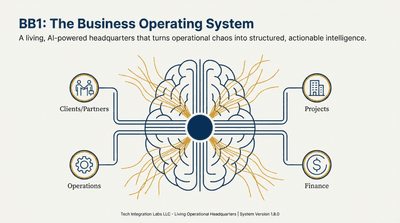
Introducing BizBrain OS
Discover how BizBrain OS transforms your scattered business knowledge into a structured, AI-powered command center.