Use Case #3: Meeting Transcript to Code
How Claude extracted technical requirements from a rambling business meeting and implemented them into a 1,265-line configuration file.
William Welsh
Author
Use Case #3: Meeting Transcript to Code
We had a strategy call with the client. Lots of good ideas. Lots of "we should do X" and "what if we tried Y."
The next day, instead of manually extracting action items, I pasted the transcript into Claude.
TL;DR: A 10-minute meeting transcript—full of crosstalk and tangents—became structured requirements and a 1,265-line config file update in 22 minutes. Zero requirements missed. Zero manual extraction.
The Input
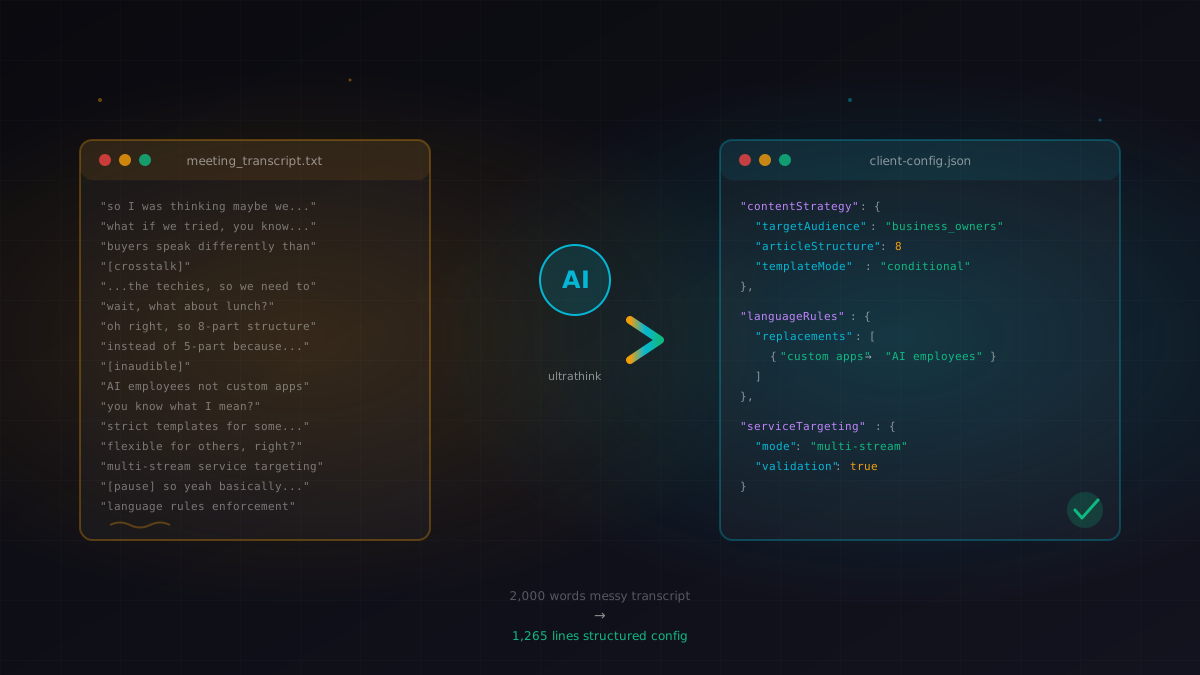
A raw meeting transcript. Not cleaned up. Full of crosstalk, half-finished sentences, tangents about unrelated topics, and "you know what I mean" statements. About 10 minutes of conversation, roughly 2,000 words.
The Prompt
Here's a meeting transcript regarding changes we need to make to
the content engine. Read through this and ultrathink about what
it all means and how we can implement it. Come up with a
comprehensive plan for specific changes.
What Claude Extracted
From the rambling discussion, Claude identified three layers:
Content Strategy Decisions
- Articles should target business owners, not developers
- Use "AI employees" not "custom apps" (language mapping)
- 8-part article structure instead of 5-part
- Strict templates for some categories, flexible for others
Technical Requirements
- Conditional content categories (service-specific)
- Quality checklist updates
- Language rules enforcement
- Multi-stream service targeting
Implementation Details
- Which config sections needed changes
- Specific field values to modify
- New validation rules to add
The Implementation
Claude then modified the client config file. This file is 1,265 lines of JSON-style configuration. It added conditional logic for content categories, language replacement rules, and restructured the article template system.
What Impressed Me
Context bridging — The meeting mentioned "buyers speak differently than techies." Claude translated that into specific language replacement rules without me spelling it out.
Selective listening — It ignored the tangent about lunch plans and the off-topic discussion about a different project.
Structural thinking — It didn't just dump changes into the file. It organized them into logical sections and added comments explaining the rationale.
The Results
| Metric | Before | After |
|---|---|---|
| Meeting notes → implementation | 4 hours | 22 minutes |
| Requirements missed | Usually 2-3 | 0 |
| Config errors | 1-2 per update | 0 |
Try It Yourself
Copy this prompt to extract action items from your own meeting transcripts:
I have a meeting transcript to analyze. Let me set the context:

**Meeting Context:**
1. What was this meeting about? (feature planning / bug triage / strategy / other)
2. What codebase should changes apply to? (path or "current project")
3. What output do you need? (action items / code changes / both)

Once you paste the transcript, I will:
- Filter out crosstalk and tangents
- Extract concrete decisions made
- Identify technical requirements
- Map decisions to specific code changes
- Create an implementation plan
- Optionally: implement the changes directly

Paste your transcript below (don't worry about cleaning it up).
Pro tips:
- Record your meetings (with consent)
- Get a transcript — Otter.ai, Whisper, whatever
- Paste the whole thing — don't clean it up
- The messy input is actually better — Claude can identify what matters
From a real client meeting, December 30, 2025.
William Welsh
Building AI-powered systems and sharing what I learn along the way. Founder at Tech Integration Labs.
Related Articles
View all →Use Case #8: Voice Notes to Specs
I talk to myself while driving. Those voice notes become features. Claude extracts the signal from the noise and turns my rambling into implementable specs.

Use Case #1: Autonomous Bug Fixing from Slack
One prompt. Zero babysitting. Claude read bug reports from Slack, traced the issues through my codebase, fixed them, deployed to production, and verified the fixes in a browser.
Use Case #2: Client Onboarding from URL
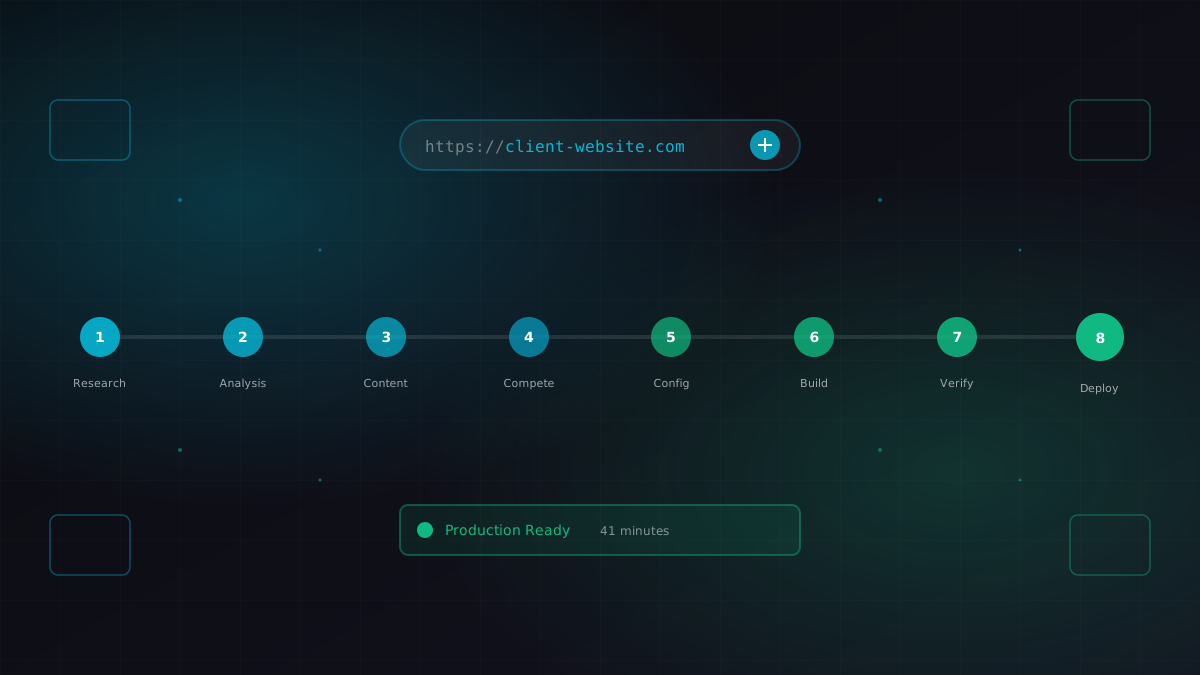
I gave Claude a business URL. It researched the company, scraped their content catalog, identified competitors, extracted brand colors, and generated a fully configured ContentEngine instance.