Scaling Your BB1
How to grow your Business Brain as your business expands.
Tech Integration Labs
Author
Scaling Your BB1
Your Business Brain starts small. Here's how to grow it without chaos.
Stage 1: Solo (0-10 Projects)
At this stage, keep it simple:
- One root CLAUDE.md
- Flat project structure
- Manual intake processing
Stage 2: Growing (10-50 Projects)
Time for organization:
- Archive completed projects
- Group by client or type
- Add automated intake
Stage 3: Team (50+ Projects)
Enterprise patterns:
- Shared network drive
- Role-based access
- Automated reporting
- Integration with CRM
Key Principles
1. Archive Aggressively
Move completed projects to Archive/. Keep active folders clean.
2. Use Prefixes
_intake/, _context/, _vault/ - prefixes sort system folders to top.
3. Automate Repetition
If you do it weekly, automate it. Slash commands are your friend.
4. Document Decisions
Every scaling decision goes in Operations/_context/decisions.md.
Conclusion
Scaling isn't about more folders - it's about better organization. Start simple, add structure as needed.
Try It Yourself
Copy this to assess and optimize your BB1 organization:
Audit my Business Brain and suggest scaling improvements.

**Current State:**
1. Where is your BB1 located? (path)
2. How many active projects do you have approximately?
3. Are you working solo or with a team?

I will:
- Scan your folder structure
- Count projects and assess organization stage (solo/growing/team)
- Identify candidates for archiving
- Check for naming consistency
- Suggest automation opportunities
- Recommend structural improvements

Point me to your BB1 folder.
Tech Integration Labs
Building AI-powered systems and sharing what I learn along the way. Founder at Tech Integration Labs.
Related Articles
View all →The BB1 Philosophy
Why folders? Why markdown? Dive deep into the design decisions that make BizBrain OS work.
System Prompt Patterns
Learn the patterns that make CLAUDE.md files effective at providing context.
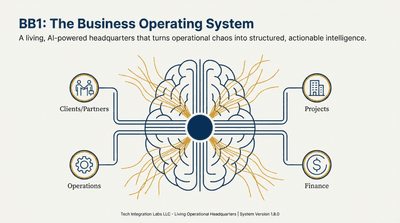
Introducing BizBrain OS
Discover how BizBrain OS transforms your scattered business knowledge into a structured, AI-powered command center.