System Prompt Patterns
Battle-tested patterns for writing effective AI system prompts.
Tech Integration Labs
Author
System Prompt Patterns
Effective CLAUDE.md files follow patterns. Here are the ones that work.
The Header Block
Always start with metadata in a blockquote:
> **Project:** Widget Factory
> **Client:** Acme Corp
> **Status:** Active
> **Last Updated:** 2026-01-15
This gives Claude instant context before reading anything else.
The Command Table
List available commands in a table:
| Command | Description |
|---------|-------------|
| /status | Show project status |
| /brief  | Generate client brief |
| /intake | Process new files |
Tables are scannable. Claude can find commands quickly.
The Context Section
Provide relevant context, not everything:
## Current Focus

This week we're completing the authentication module.
Key decisions pending: OAuth provider choice.

## Key Contacts

- John Smith (Acme) - Technical lead
- Jane Doe (Internal) - Project manager
The Reference Links
Point to deeper context:
## References

- Full requirements: `./_context/requirements.md`
- Decision log: `./_context/decisions.md`
- Meeting notes: `./_context/meetings/`
Don't duplicate - reference.
Anti-Patterns
Too Much Context
If your CLAUDE.md is 1000+ lines, split it. Use references.
Stale Information
Update weekly. Stale context is worse than no context.
Generic Content
"This is a project folder" tells Claude nothing. Be specific.
Conclusion
Good prompts are clear, current, and contextual. Follow these patterns and Claude will understand your folders instantly.
Try It Yourself
Copy this to improve your existing CLAUDE.md files:
Review and improve the CLAUDE.md files in my project.

**Scope:**
1. Which folder should I review? (current project / specific path / all)
2. What's the primary purpose of this context? (code development / project management / client work)

I will:
- Read existing CLAUDE.md files
- Identify missing patterns (header block, command table, references)
- Check for stale information
- Suggest specific improvements
- Optionally: implement the improvements directly

Point me to your CLAUDE.md files.
Tech Integration Labs
Building AI-powered systems and sharing what I learn along the way. Founder at Tech Integration Labs.
Related Articles
View all →The BB1 Philosophy
Why folders? Why markdown? Dive deep into the design decisions that make BizBrain OS work.
Scaling Your BB1
Strategies for maintaining organization as your BB1 grows from solo project to team infrastructure.
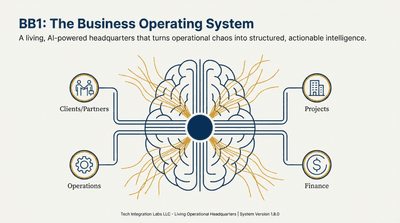
Introducing BizBrain OS
Discover how BizBrain OS transforms your scattered business knowledge into a structured, AI-powered command center.